Tribute video maker

Tribute video maker for family and group photos

Add up to 20 photos of the person you are remembering. Picto.Video sets them in scenes with music, their name, the years and your own words. You watch the whole film before you pay.

Watch your preview free. One payment for the film. No subscriptions.

Group photos can move toothe whole family waves at the camera, keep everything else static

Picto.Video and other tribute video makers

Prices from each company's own site.

Who puts the film together?

Picto.Video

Picto.Video does. It sets your photos in scenes, with music you pick from three tracks.

Canva

You do. You arrange the pictures, drag music onto a timeline, then trim it and add fades.

Adobe Express

You do. You pick a template, add the photos and set the timing and transitions.

Tribute.co

You invite guests to record video messages, then edit them yourself or pay their editor.
Can the people in the photos move?

Picto.Video

Yes, as a short video next to the film. Say who moves and how, like "the whole family waves at the camera". It comes back in a minute or two.

Canva

Its tribute page builds a slideshow from your pictures and clips.

Adobe Express

Its tribute page builds a video from your photos, clips and a template.

Tribute.co

The film is made of the video messages your guests send.

What do you pay?

Picto.Video

One payment for the film. No subscriptions. Changes after that render free.

Canva

Beat Sync on its tribute page needs Pro, at US$144 a year.

Adobe Express

Premium is US$9.99 a month and renews until you cancel.

Tribute.co

$35 per tribute if you edit it yourself, $99 for their editor.

How to make a tribute video

  1. Add your photos

    Up to 20 photos across three to five scenes. A scene can hold one photo, two side by side, three, or a collage of four.

  2. Pick the look and the music

    Choose a look, such as Celebration of Life, and a piece of music. Type their name and the years, and add words over any scene you like.

  3. Watch it, then make the film

    The preview plays free. When it looks right, you pay once and Picto.Video makes the HD film for you to save or share.

Make the group photo move

Pick the photo everyone remembers. Say who moves and how, and Picto.Video turns it into a 5-second video in a minute or two. Play it at the party or the service, or send it to the family chat.

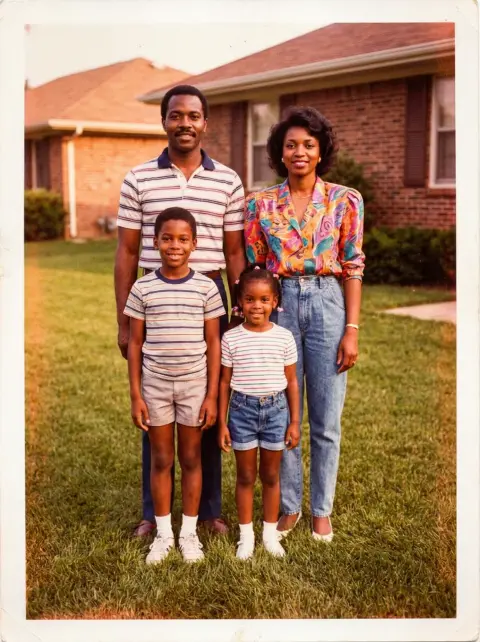
An old photo of a family of four standing on the lawn in front of their house
Promptthe whole family waves at the camera, keep everything else static
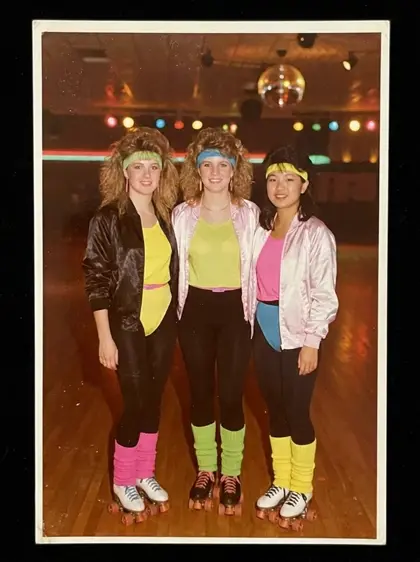
An old photo of three friends at a roller rink
Promptthey laugh and cheer with their arms in the air, keep everything else static
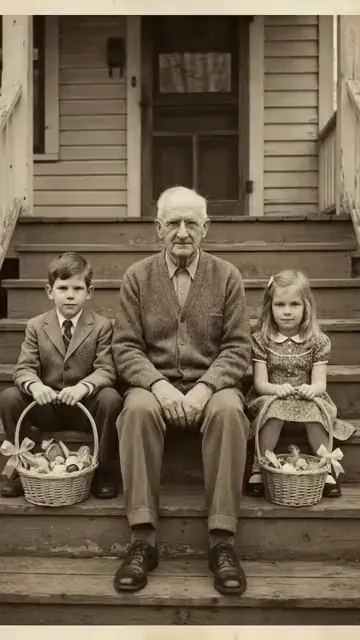
An old photo of a grandfather with two children on the porch steps
Promptgrandpa hugs the kids and they all laugh
Make one like this

Uploads live in your private gallery, delete them anytime.

What a tribute video maker does

A tribute video is a short film of someone's photos, set to music, with their name and years at the start and a few words at the end. Families play it at a funeral, a memorial service or a celebration of life, and share it afterwards.

Most tribute video makers hand you a timeline or a template and leave the arranging to you. Picto.Video works from the photos. You add up to 20, pick one of the looks, and it lays out the scenes, the titles and the timing. You can change the words and the music before you make the film.

Picto.Video works as a memorial video maker or a funeral video maker in the same way. For the service, pick the Landscape shape so the film fills a projector or a TV. For family on their phones, pick Portrait.

Questions about tribute videos

Is there a free tribute video maker?
Building and previewing a tribute film on Picto.Video is free, and you see the whole film play before you pay anything. Making the HD film is one payment, with no subscription. Changes after that render free.
What is the best free memorial video maker?
It depends on how much of the editing you want to do. Canva and Adobe Express have free plans where you build the video yourself from a timeline or a template. Picto.Video puts the film together for you from up to 20 photos, with music, their name and the years. You watch it free and pay once for the HD film.
How can I make a tribute video?
Open the Picto.Video tribute maker and add up to 20 photos. Pick a look, a piece of music and the shape, then type their name, the years and a closing message. Watch the preview, and when it looks right, pay once to make the HD film.
How do I make a memorial video with music?
In Picto.Video, music comes with the film. Choose Evening Hymn for piano, Morning Light for strings or The Long Walk for guitar, and the film plays to it from the first photo to the last.
How to make a video for a memorial service?
Pick the Landscape shape in Picto.Video, which is made for projectors and screens at the service. Add the photos, their name and the years, watch the preview, then make the film and save the MP4 to play on the day.
How to create an AI tribute video?
Upload a photo to Picto.Video and say who moves and how, like 'grandpa hugs the kids and they all laugh'. You get a 5-second MP4 in a minute or two. The tribute film itself uses still photos, so the moving photo is a separate video you can play next to it.
Can a tribute video use group photos?
Yes. A Picto.Video scene can show a collage of four photos, so a whole family or team fits on screen together. If you want one group photo to move, the Picto.Video animator does that as a short video of its own.

Start with the photos you already have

Make a tribute video

Watch your preview free. One payment for the film. No subscriptions.

Start your tribute
7e9c053d 2026-11-10T12:50:36Z