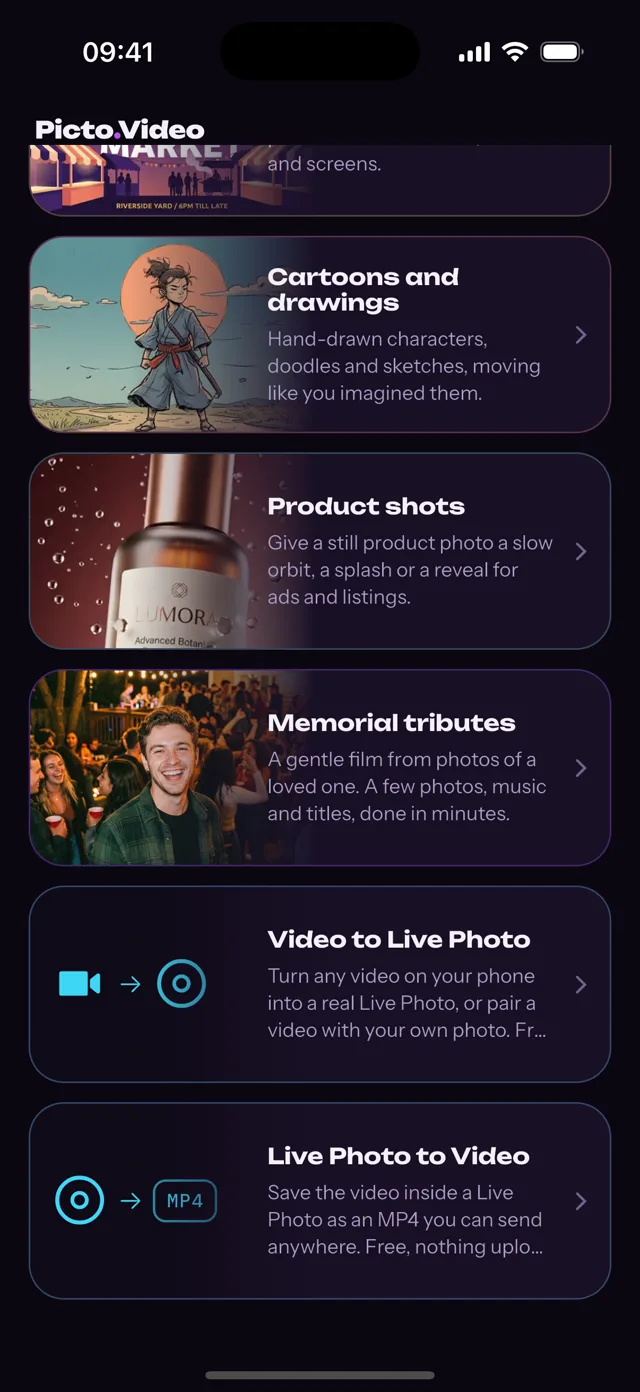
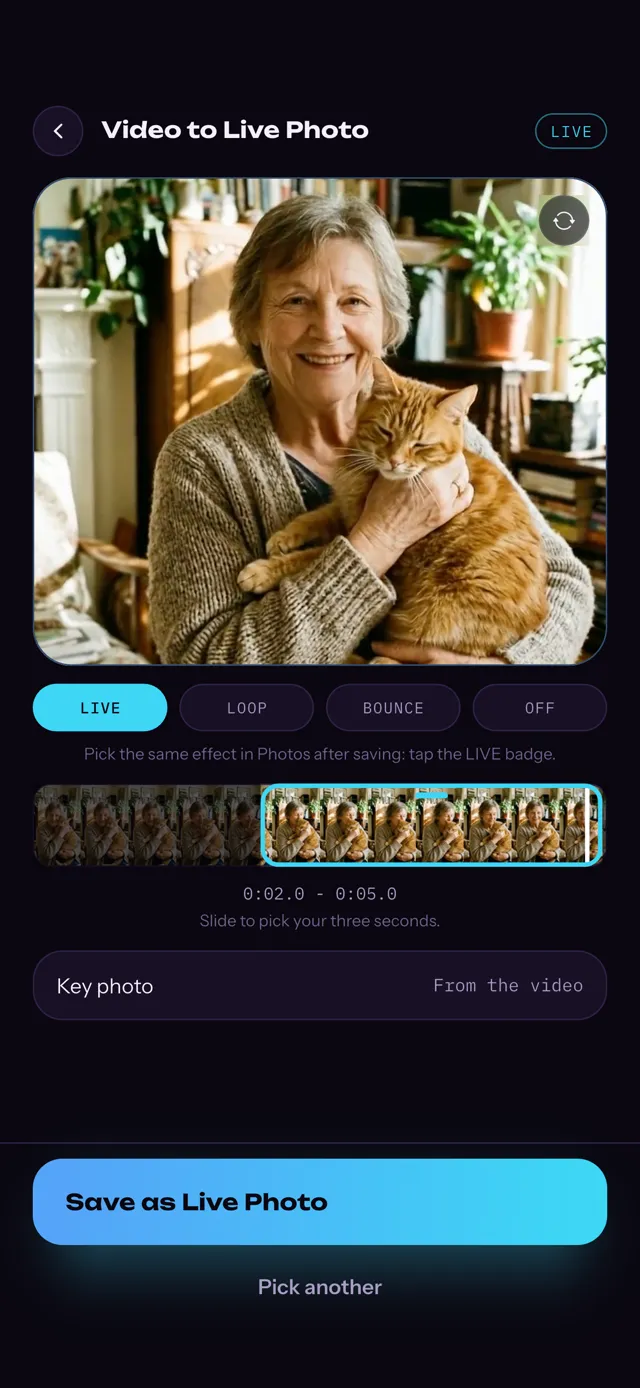
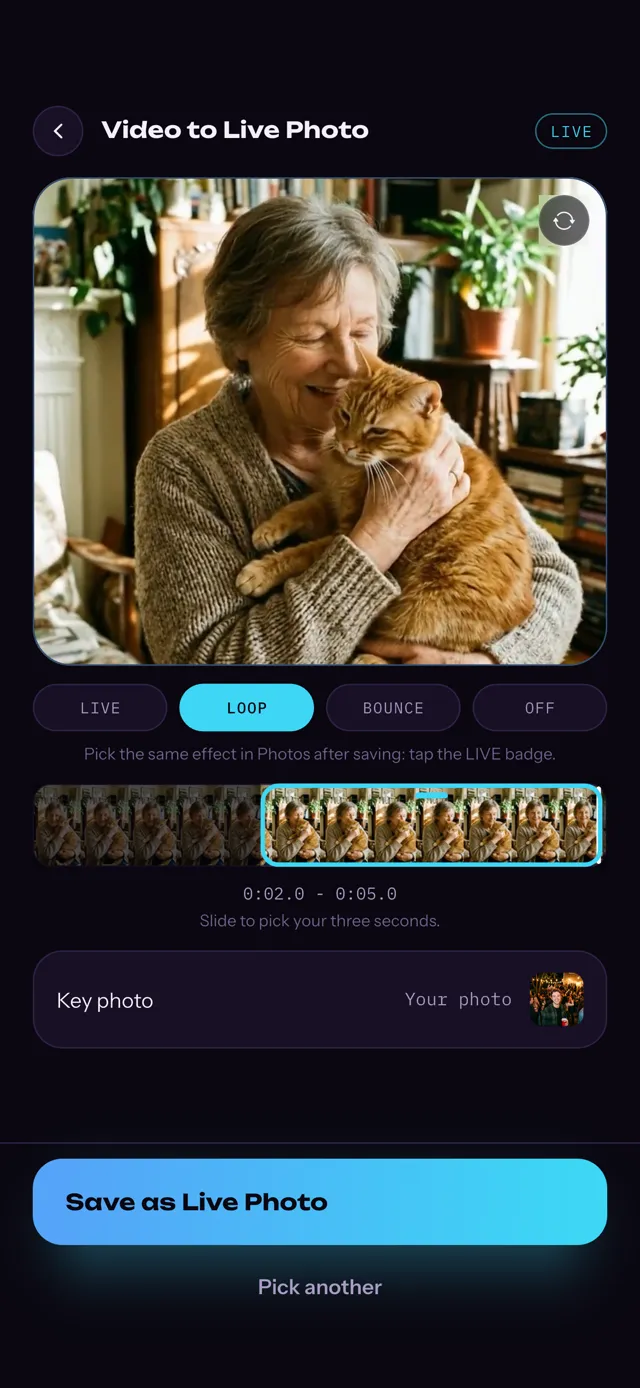
It sits on the home screen of the Picto.Video iOS app.
02
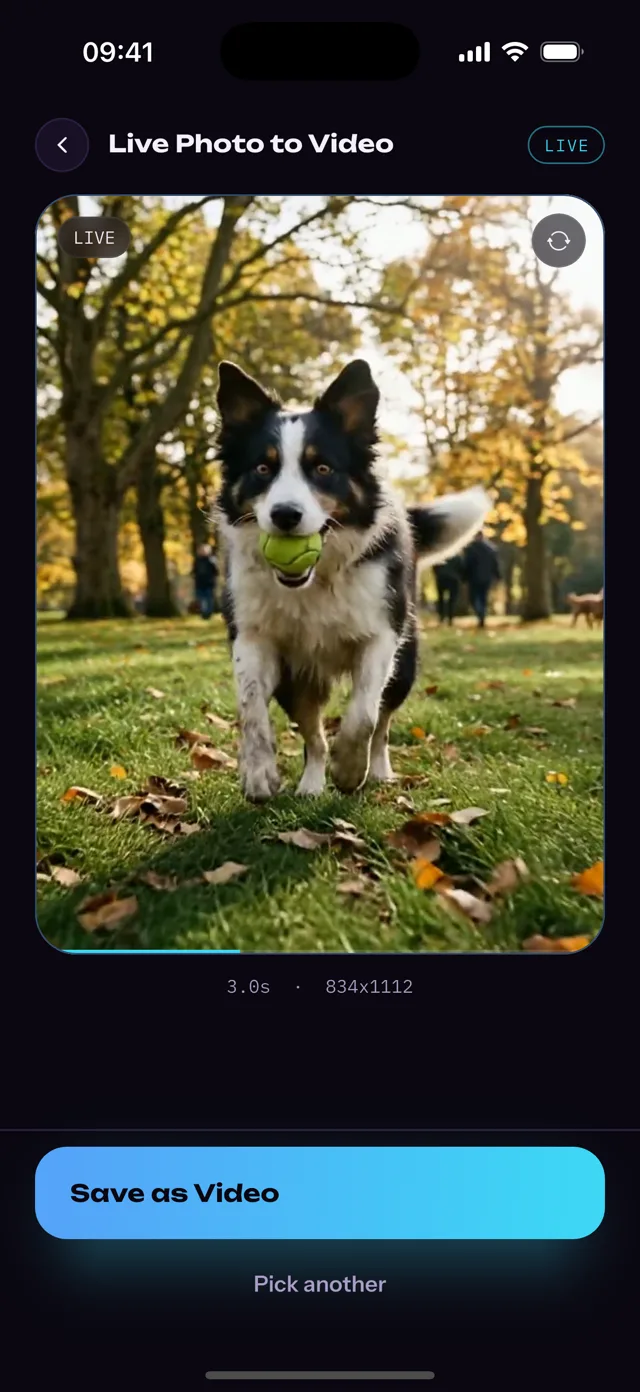
Pick the Live Photo.
The picker lists Live Photos only. The clip plays with its sound before you save.
03
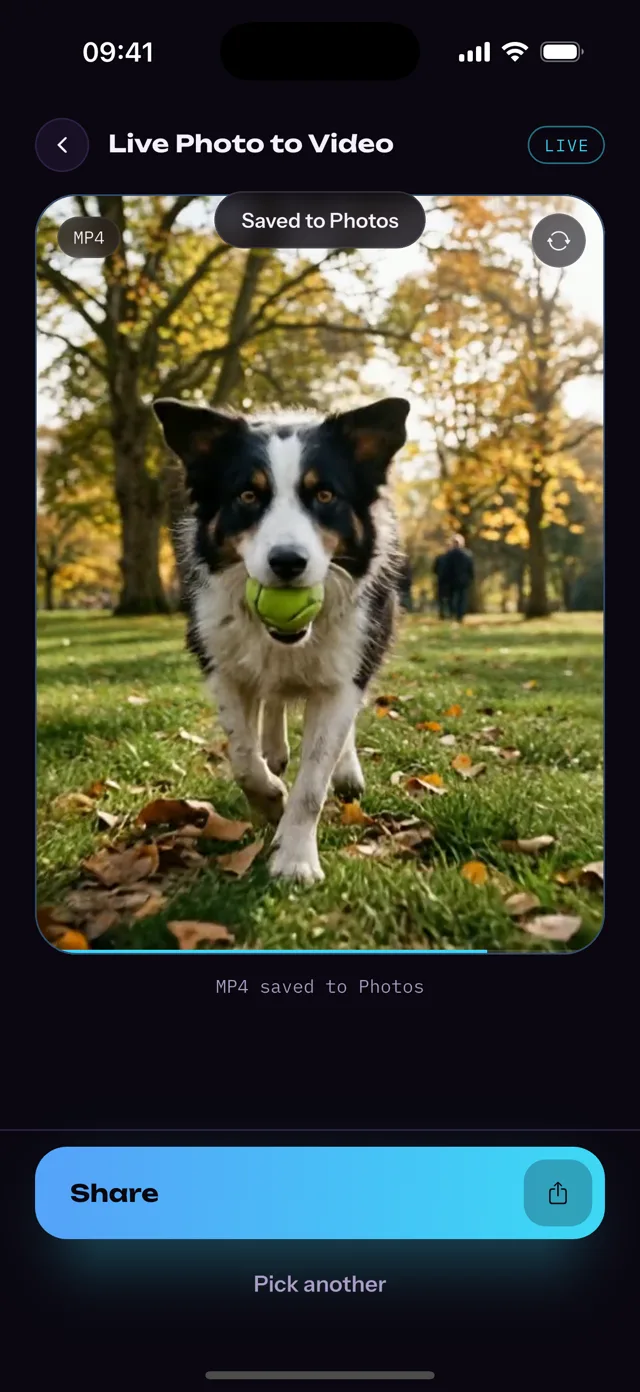
Tap Save as Video.
The MP4 goes to Photos. Tap Share to send it from the iOS app.
In Apple Photos
built in · free
Apple puts the new video in the Recently Saved album.
Steps from Apple Support.
In the Photos app, swipe up to Media Types, then tap Live Photos.
Tap a Live Photo to open it.
Tap the More button (three dots) in the upper-right corner, then Save as Video.
Apple's Save as Video or the Picto.Video iOS app?
Both turn a Live Photo into a video for free. This is what the iOS app adds.
Will I get an MP4?
Picto.Video iOS app
Yes.
An H.264 MP4 with the sound, saved to Photos and ready to share.
Apple Photos, Save as Video
Apple's guide does not name the file type. The video goes to Recently Saved.
Can the video run longer than the Live Photo?
Picto.Video iOS app
Yes.
The same iOS app animates the still into a longer video. You say who or what moves and how, and it is ready in a minute or two. This part is paid.
Apple Photos, Save as Video
The video is the Live Photo's own motion: 1.5 seconds before and after the shot.
Can it turn a video into a Live Photo?
Picto.Video iOS app
Yes, free.
Trim any video to three seconds and save it to Photos as a Live Photo.
Apple Photos, Save as Video
Apple's Live Photos guide covers Live Photo to video only.
And the online converters?
What do you give it?
Picto.Video iOS app
The Live Photo itself, picked in the iOS app.
livephoto.video
The Live Photo's .MOV and .HEIC files, uploaded as a pair.
Flixier
A video you first save with Save as Video in Photos, then import.
Where does your Live Photo go?
Picto.Video iOS app
It stays on your iPhone. Nothing is uploaded.
livephoto.video
Onto the website. Its first step is Upload Your Live Photos.
Flixier
Into Flixier's web editor, where you export the MP4.
Rival facts from each site's own page.
Watch it done in a minute
What a Live Photo is, why it arrives as a still, and the three taps in the iOS app.
Live Photo to Video in the Picto.Video iOS app. 1 min 14 s, with sound.
ONE STILL · HEIC3 SECONDS · MOVLIVE PHOTO
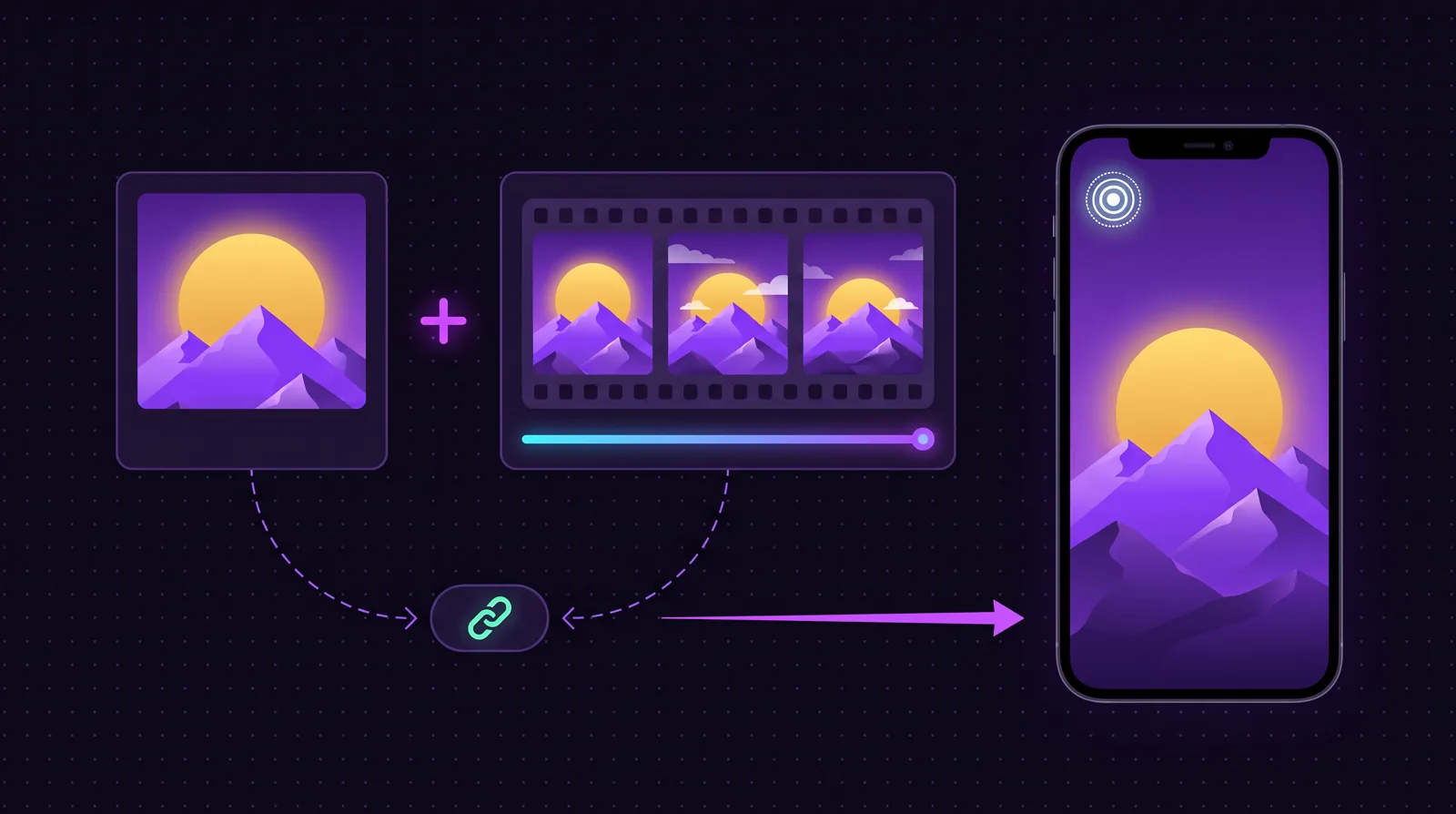
still + motion + identifier. Shared outside Apple, only the still travels. The iOS app reads both.
Why your Live Photo stops moving outside Apple
A Live Photo is a set of two files: a photo and a short video, paired inside your iOS Photos library. Inside the Apple ecosystem the pair travels together, so a Live Photo sent by iMessage or AirDrop still plays. Outside it, almost every share sends the photo and leaves the video behind: WhatsApp, Messenger, Instagram and email all deliver a still. Our iOS app loads both parts of the Live Photo you pick and saves the video part as an MP4 that plays anywhere.
PHOTO
VIDEO
Want more than three seconds?
The same iOS app can animate a still photo into a longer video. Pick the photo and say who or what moves and how. The video is ready in a minute or two. That part is paid. Live Photo to Video stays free.
The iOS app goes the other way too. Trim any video to three seconds and save it to Photos as a Live Photo you can set on your Lock Screen. That is free as well.
How do I convert a Live Photo to a video on my iPhone?
Open the Picto.Video iOS app.
Tap Live Photo to Video.
Pick the Live Photo.
Tap Save as Video.
The MP4 is in Photos with the motion and the sound. Live Photo to Video is free.
Apple Photos does it too: open the Live Photo, tap the More button, then Save as Video. Apple puts that video in the Recently Saved album.
Can I convert a Live Photo to video online?
Not from the Live Photo itself. When you pick a Live Photo in Safari, the website receives the still photo. Online converters ask for more: livephoto.video wants the .MOV and .HEIC files, and Flixier starts with Save as Video in Photos. The Picto.Video iOS app reads the Live Photo straight from Photos, so there is nothing to export first.
How do I turn a Live Photo into an MP4?
Pick it in the Live Photo to Video row of the Picto.Video iOS app and tap Save as Video. You get an H.264 MP4 with the sound, at the size your iPhone recorded it. MP4 plays on Android phones and Windows PCs as well as on your iPhone.
Why won't my Live Photos save as a video?
In Photos, Save as Video sits in the More menu, the three dots in the upper-right corner. Answers on the Apple Community forum say it shows only when the Live Photo's effect is set to Live. If the photo plays as Loop, Bounce or Long Exposure, open it, tap the effect name at the top and choose Live.
Does the video keep the Live Photo's sound?
Yes. The Picto.Video iOS app plays the Live Photo with its sound before you save, and the MP4 carries that sound.
Is there a watermark on the converted video?
No. Live Photo to Video adds no watermark, because the MP4 is the clip your iPhone recorded. Videos that Picto.Video animates from a still photo carry a signature frame.
What is a .livp file and how do I turn it into MP4?
A .livp is a Live Photo downloaded from iCloud.com: a zip holding the HEIC still and the MOV video. Rename it to .zip, unzip it, and the MOV is your video. On the iPhone the Picto.Video iOS app reads the Live Photo from Photos and no .livp is involved.
How to turn video into live photo on iPhone?
Use Video to Live Photo in the same Picto.Video iOS app. Add the video, trim it to three seconds and save it to Photos as a Live Photo. It is free.